
Project One · UX/UI Design
CEMEXSales-360SmartphoneApp.
Connecting sales, customers and time-critical deliveries. A mobile experience designed to support sales and relationship management across CEMEX’s three business segments - Cement, Ready-Mix Concrete (RMX) and Aggregates. The application brought customer information, business performance, sales insights, customer engagement, financial information and vehicle tracking into a unified mobile experience. While supporting all three segments, RMX delivery coordination was particularly critical, requiring clear visibility of vehicle movement and timely coordination between CEMEX and its customers.
Organization: DMI
Role: UX Designer
Contribution: Mobile UX · Navigation exploration · Prototype validation
Completed while working at DMI. Featured here as part of my professional experience; this was not a DesignBite client engagement.
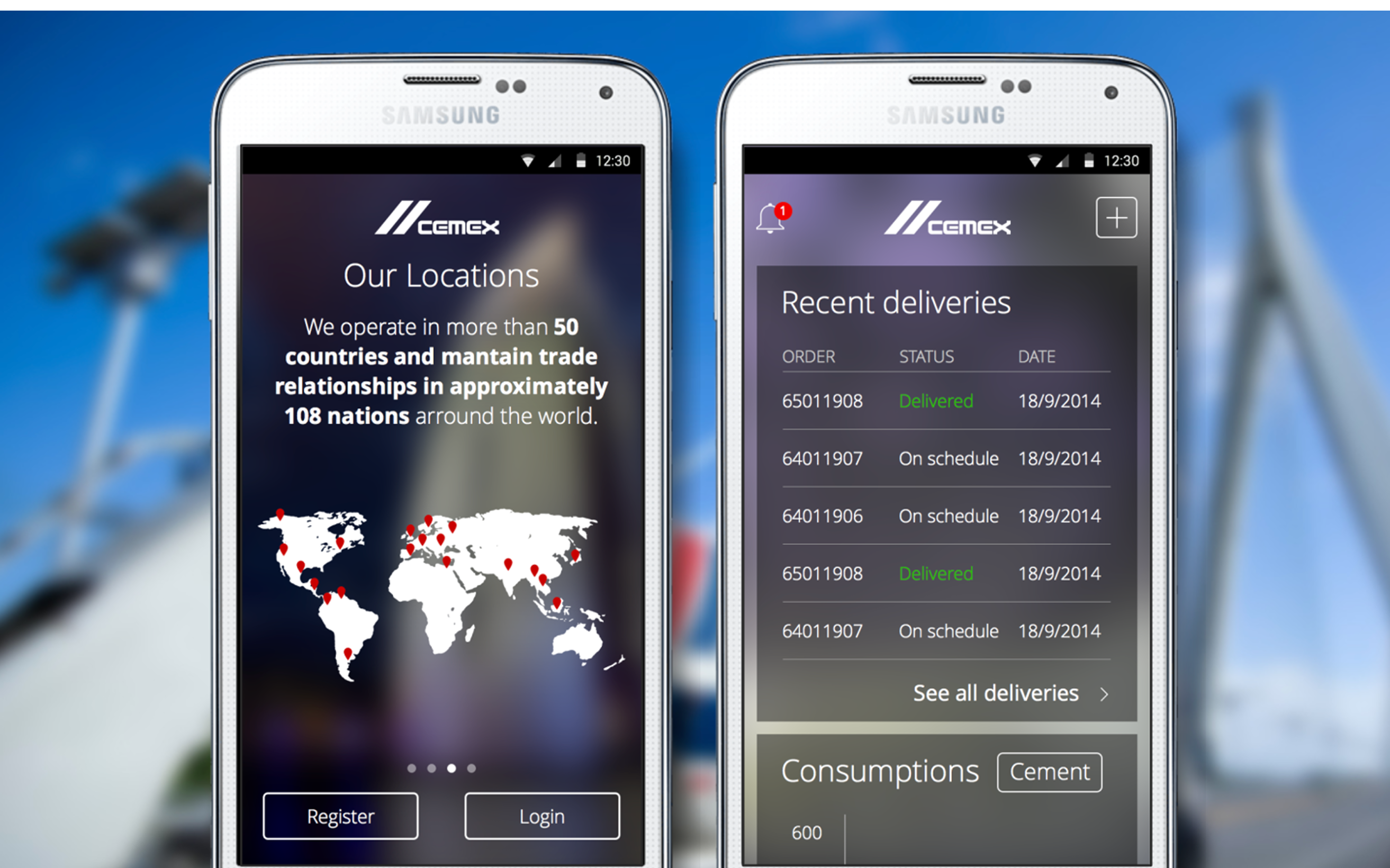
Cement · RMX · Aggregates
Connect the
people involved.
The Sales-360 smartphone app supported CEMEX’s Cement, RMX (Ready-Mix Concrete) and Aggregates business segments. Primary users included Regional Managers and sales or relationship management teams.
For RMX deliveries, CEMEX is the sender responsible for dispatch and delivery coordination. The receiver is the CEMEX customer-typically a concrete construction company or site team-who prepares the site to receive and discharge the load.
Sales-360 · iPhone and iPad
Make delivery
more visible.
Ready-Mix Concrete is time-sensitive: after preparation and dispatch, each load needs to be delivered and discharged within its workable timeframe. If concrete begins to solidify inside the transit mixer, cleaning becomes extremely challenging.
The primary UX challenge was to make distribution more transparent through visibility into vehicle movement and delivery status, supporting coordination between CEMEX and customers so the site can be prepared to receive the load.
Alongside delivery coordination, the app supported customer information and profiles, business performance and sales insights, customer engagement, and financial information. Navigation exploration compared a hidden hamburger menu with a more visible approach that exposed important actions directly; users preferred the more visible approach.
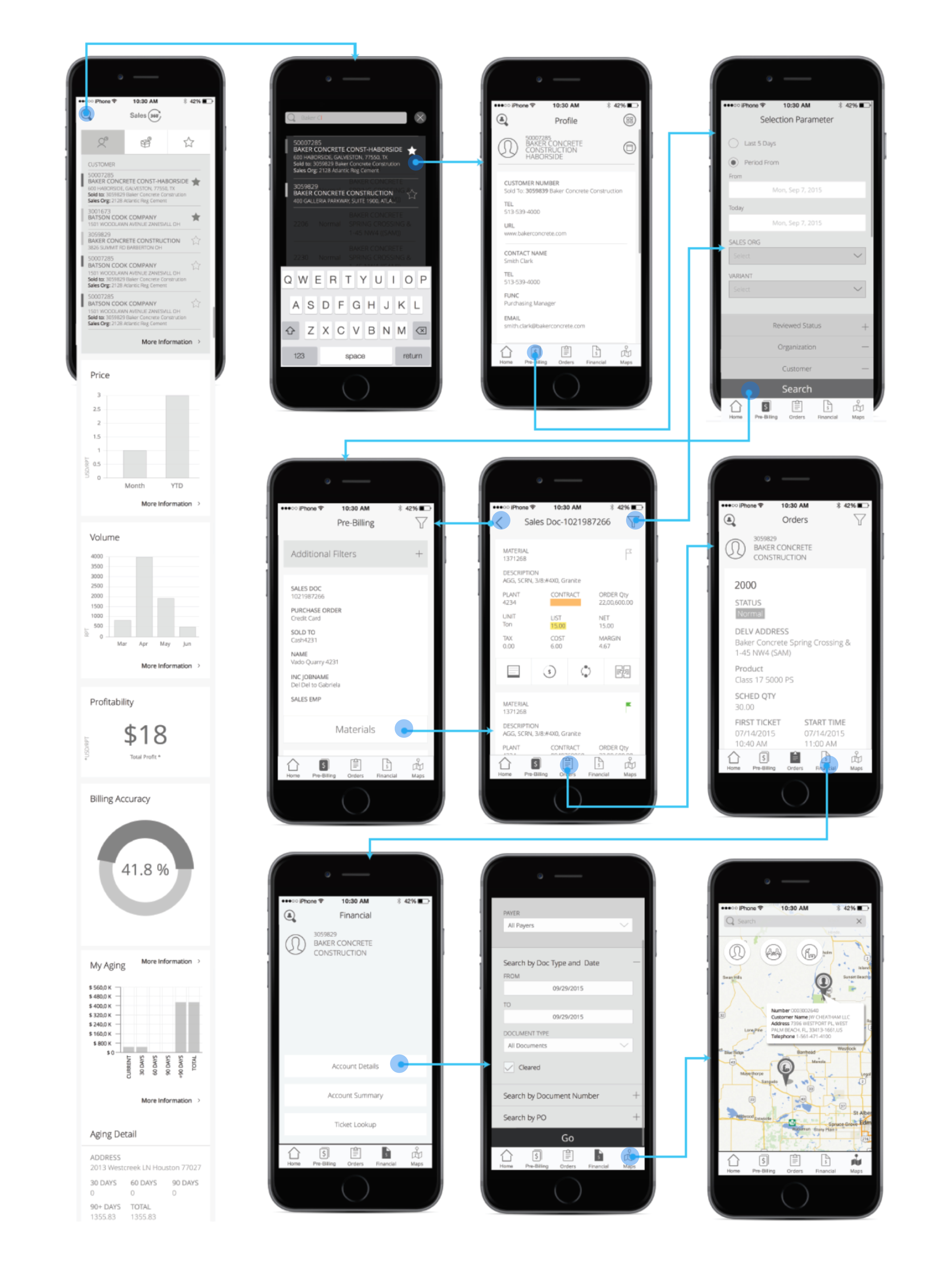
The smartphone flows cover CMT and RMX dashboards, customer search and favorites, open orders, account summaries and financial documents, ticket lookup, customer profiles and agendas, cases, contracts, notes, and map navigation for customer, competitor and plant locations.
- CMT home dashboard: Mill Report, Volume, Billing Accuracy and My Aging
- RMX dashboard: Price, Volume, Profitability, Billing Accuracy and My Aging
- Customer search, profiles and favorites
- Open orders, cases, contracts, notes and agendas
- Account summaries, financial documents and ticket lookup
- Map and list views for customer, competitor and plant locations
Dashboard & Favourite Interactions
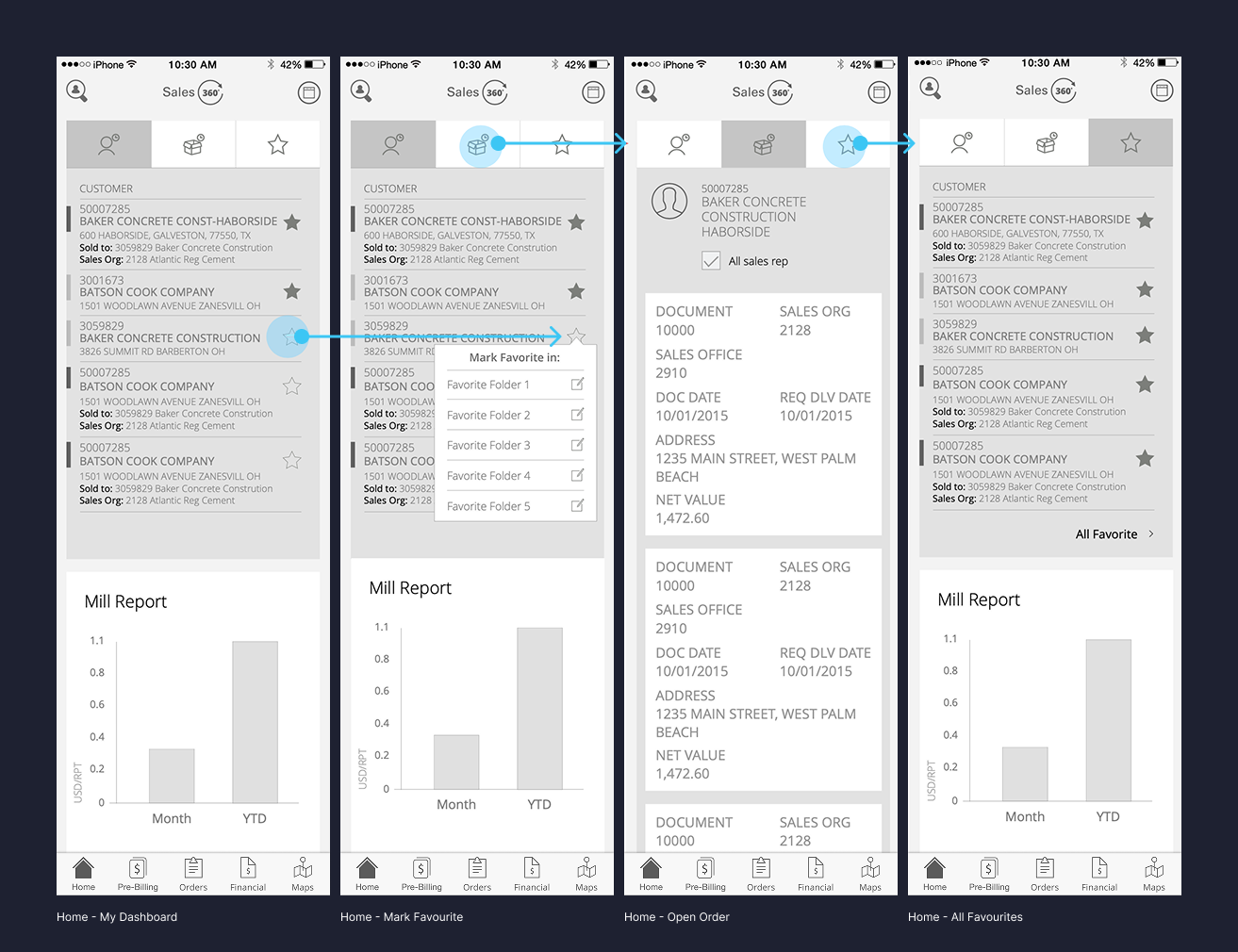
Exploring the home dashboard, customer favourites, order details and favourite listings.
Mobile App Navigation
& User Flows
Mapping the connected mobile experience across customer profiles, pre-billing, orders, financial information and maps.
UserTesting.com · Real users
Validate the experience
with real users.
For the first time in this project, I used UserTesting.com to test interactive prototypes with users.
This introduced a more direct way to evaluate design decisions before implementation. We could observe how users interacted with the proposed experience and identify areas that needed refinement.
The work also moved through experience flows and wireframes. Navigation options were explored and tested, then refined for mobile and tablet use in collaboration with product and development stakeholders.
Key takeawayMoving from assumptions towards validation through actual user interaction.
Mobile product design
Design for
mobile work.
My contribution focused on the Sales-360 smartphone experience, its navigation exploration and prototype validation.
- Contributed to the Sales-360 smartphone experience for iPhone and iPad.
- Explored navigation approaches, including a more visible navigation preferred by users.
- Tested interactive prototypes with users through UserTesting.com.